

Overview
This guide explains how to run a validator TON node with MyTonCtrl from scratch.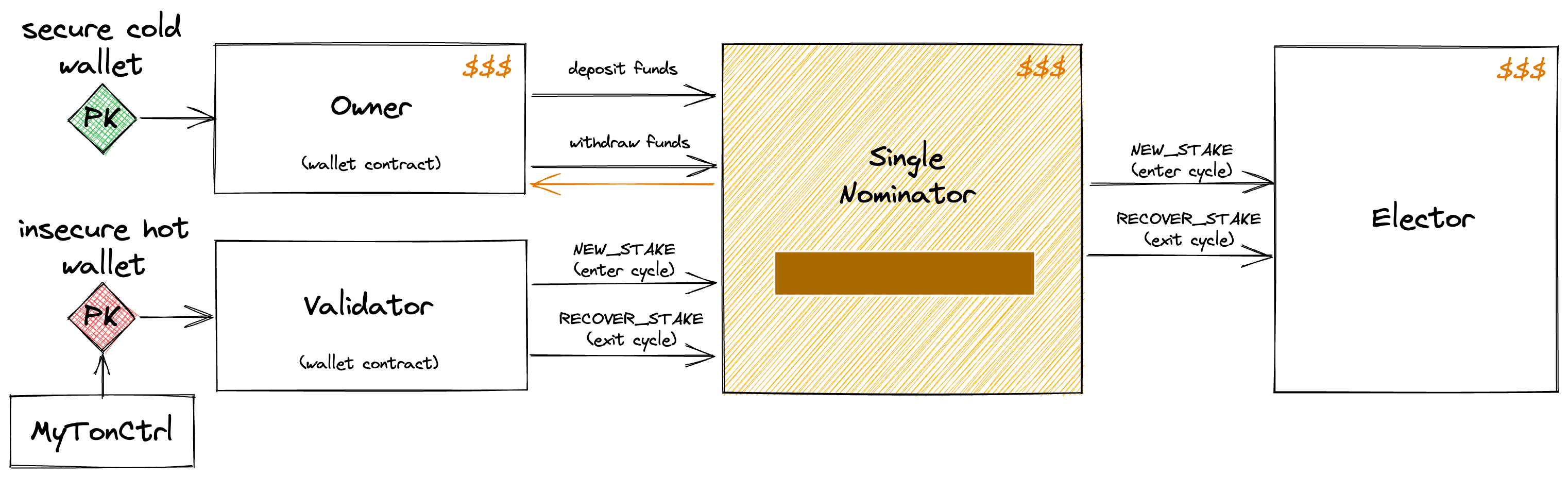
Step 1: Prepare environment
1.1 Maintain costs and expenses
- 200 TON per month on the validator hot wallet for its operational transactions.
- Validator deposit stake 700 000 TON ~ 4 000 000 TON.
- 100 TB/month traffic at a peak load.
1.2 Minimal hardware requirements
- 16-core CPU
- 128 GB RAM
- 1 TB NVMe SSD or provisioned 64+k IOPS storage
- 1 Gbit/s network connectivity
- Public IP address (fixed IP address)
A 1 Gbit/s network connection is recommended to ensure reliable performance during peak load conditions. The average expected bandwidth usage is approximately 100 Mbit/s.
Validators must carefully consider IOPS disk requirements, as insufficient storage performance can severely impact validator stability and overall network health.
1.3 Software requirements
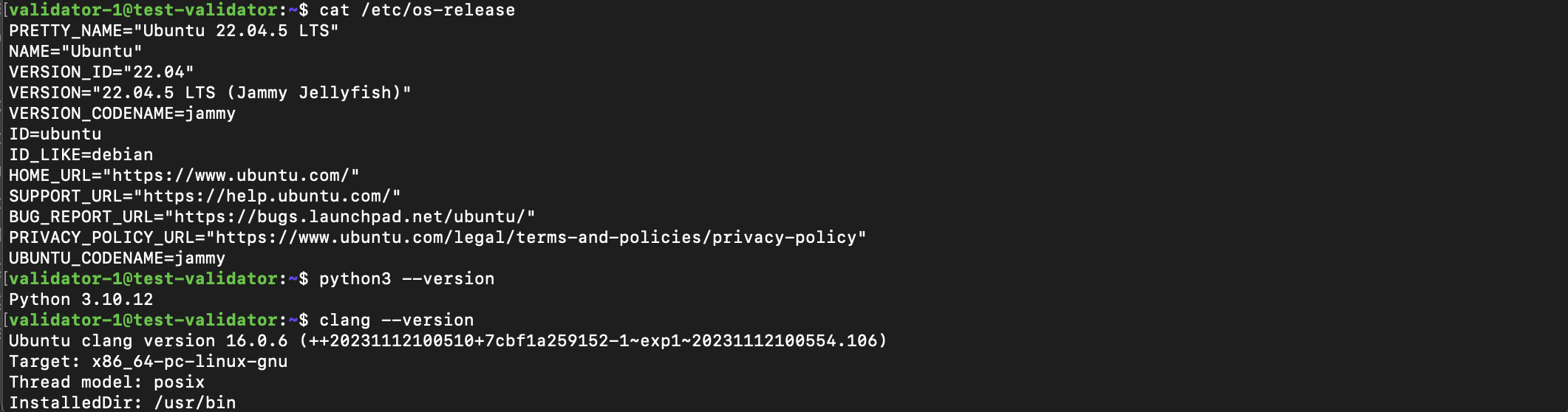
- Ubuntu 22.04 LTS or 24.04 LTS
- Python 3.10 or higher
- Clang 16.0.0 or higher
Update Clang...
Update Clang...
1.4 Port forwarding for validator
Configure the network on the server according to the following:- All outgoing connections are allowed.
- A static external IP address.
- One UDP port open for incoming connections.
1.5 Follow network announcements
Subscribe and follow the instructions provided for validators with Telegram channels.Do not ignore announcements for TON Testnet; validators that violate the maintenance rules are fined and excluded from the network.
| Channel | Network |
|---|---|
| @tonstatus | TON Mainnet |
| @testnetstatus | TON Testnet |
1.6 Prepare validator user
Prepare and log in a user for the validator.- Create a non-root user
- Switch to it by reconnecting to the server via
ssh
Step 2: Validator node installation
2.1 Download validator installer (MyTonCtrl)
Run:
2.2 Run validator installation
Run the validator installation. Installation takes approximately 20 minutes: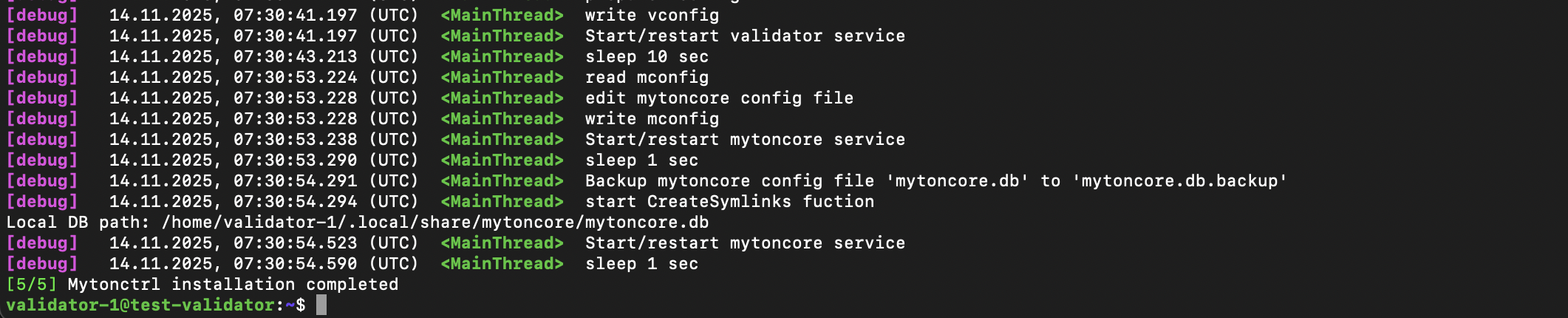
Install validator for Testnet
Install validator for Testnet
2.3 Verify status results
Launch MyTonCtrl with the commandmytonctrl. Then, check synchronization using the status command:
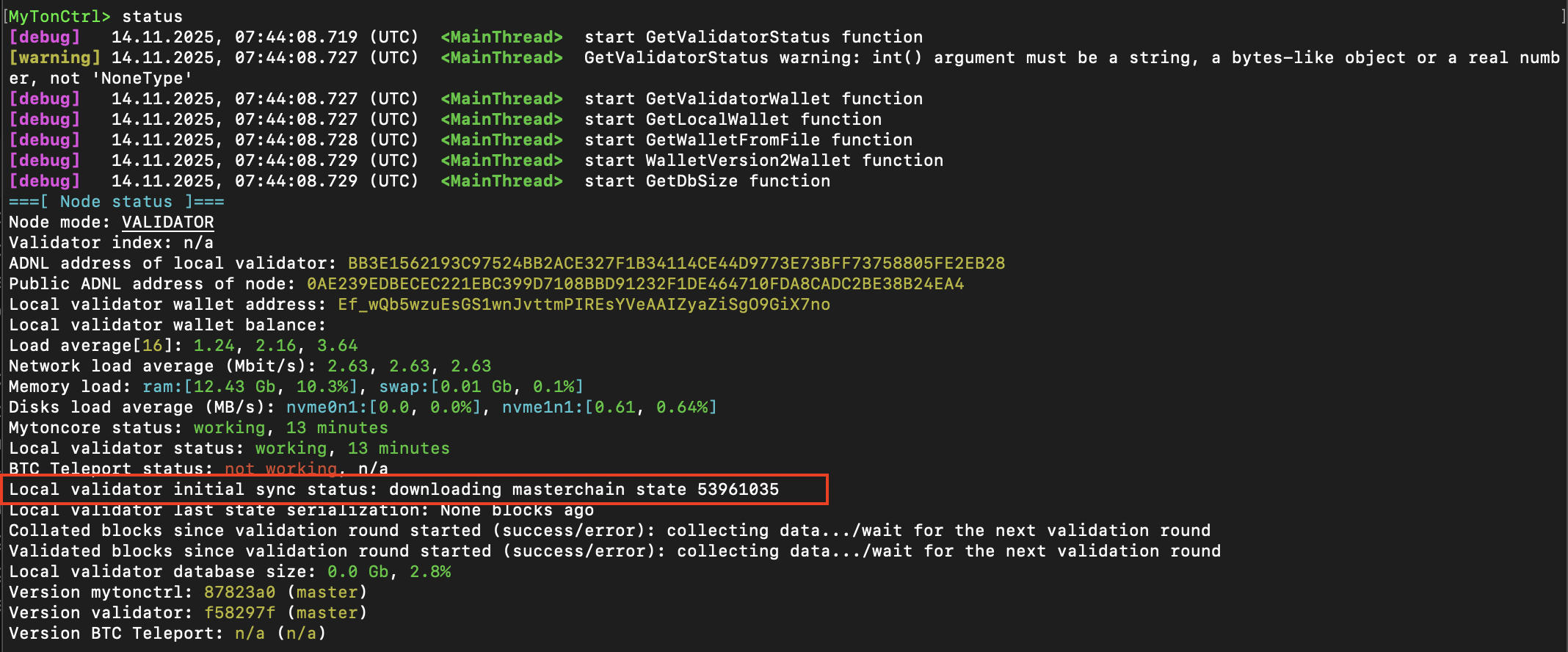
Initially, the status shows “Local validator initial sync status: downloading blockchain state x”, which indicates that the node has started synchronization.
There are also other status messages in the very beginning of the synchronization, such as “starting”, “init block seqno”, “last key block is x”, “downloading all shard states”, “mc seqno” - all these statuses are fine.
2.4 Verify validator’s port
Printengine.addr port configuration config.json file:

2.5 Check validator’s port
Make sure UDPengine.addr port is allowed with the following command:
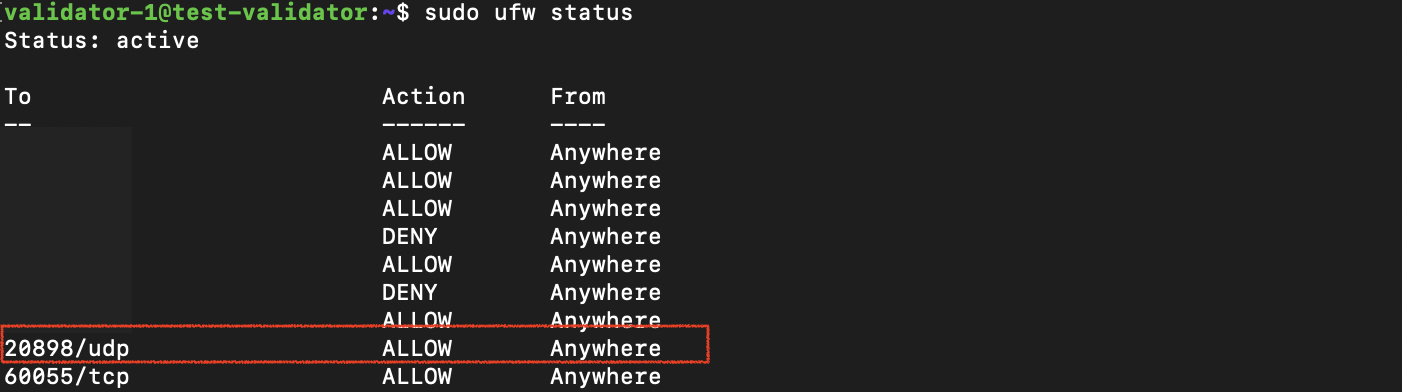 If the port is filtered (absent in allowed), open this port:
sudo ufw status.
2.6 Verify node synchronization
Wait until the node is fully synchronized, which takes approximately 3 hours (depending on the network connection). Check the fieldLocal validator initial sync status: x, the value x should become less than 20.
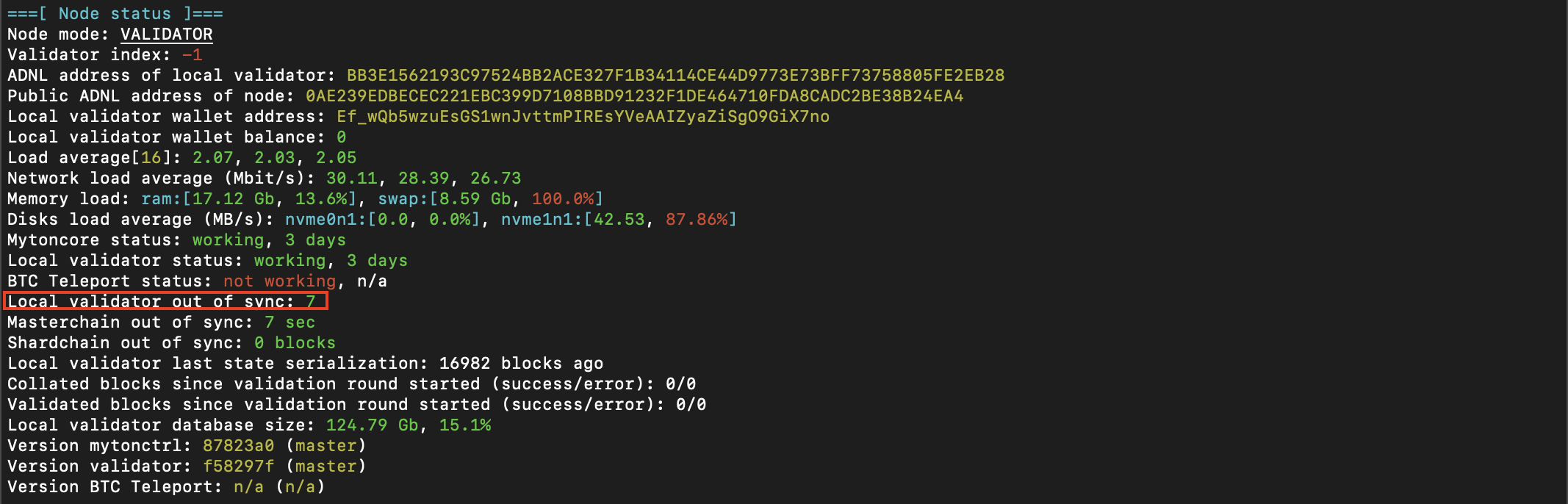
Set up alert bot to receive a notification when the node is synchronized.
Step 3: Configure validator
When installing, MyTonCtrl automatically creates a validator wallet. Top up and activate (deploy) this wallet so MyTonCtrl can operate the single nominator pool smart contract with it.3.1 Get validator wallet address
validator_wallet_001 and its address.

3.2 Back-up validator wallet secret key
This private key is required to restore access to the funds stored in the validator wallet. It is not involved in managing rewards or staking.

Import this secret key with
iw command.3.3 Explore validator wallet
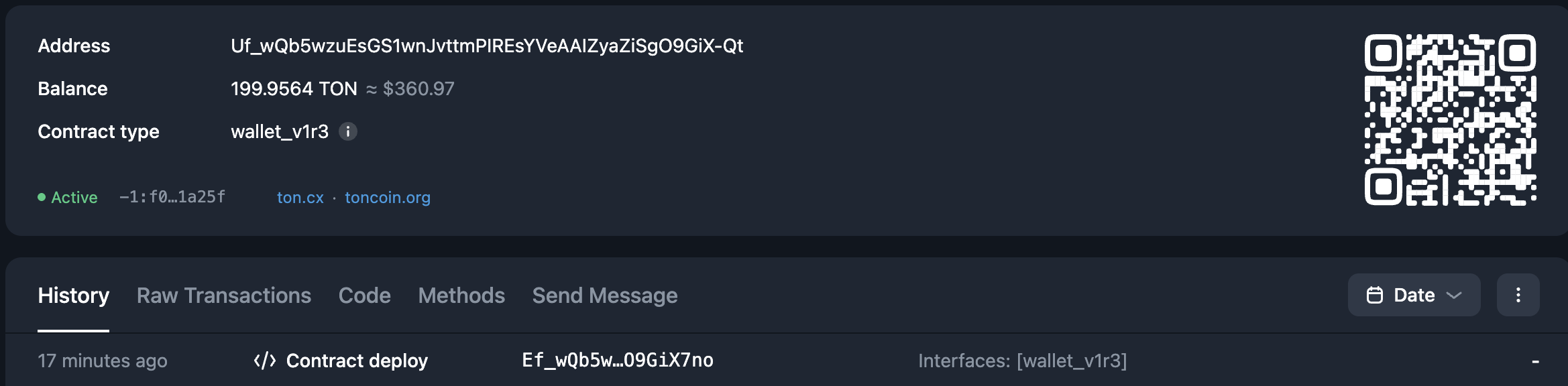
Explore validator wallet by address with Tonviewer: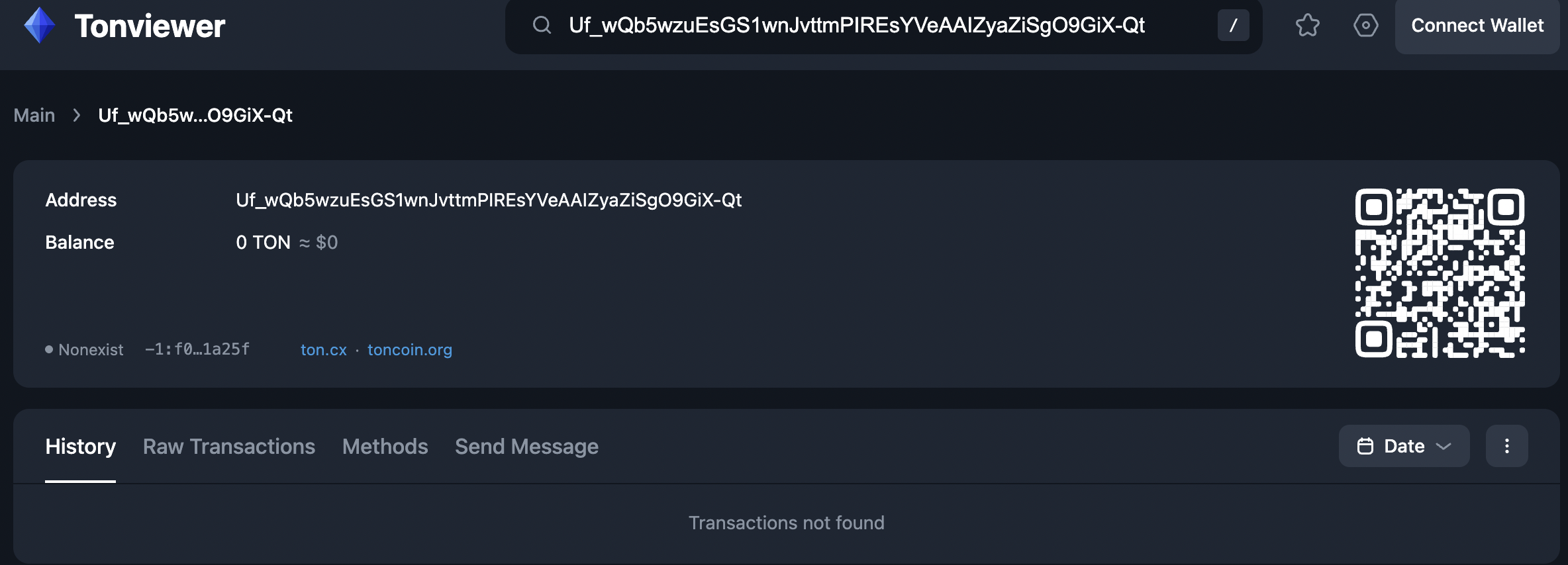
3.4 Credit validator wallet
Funds at riskEnsure precise handling of operations, carefully verifying the addresses for
single_nominator_pool, owner_address, and validator_wallet. Any incorrect deposit processing may result in the permanent and unrecoverable loss of funds.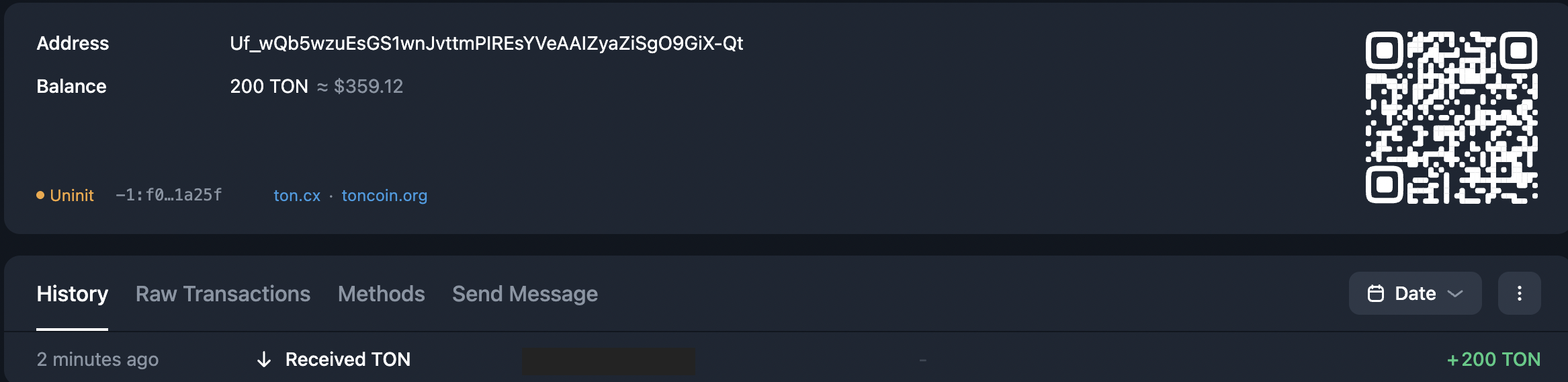
3.5 Activate the wallet
Activate (deploy on-chain) validator wallet, run: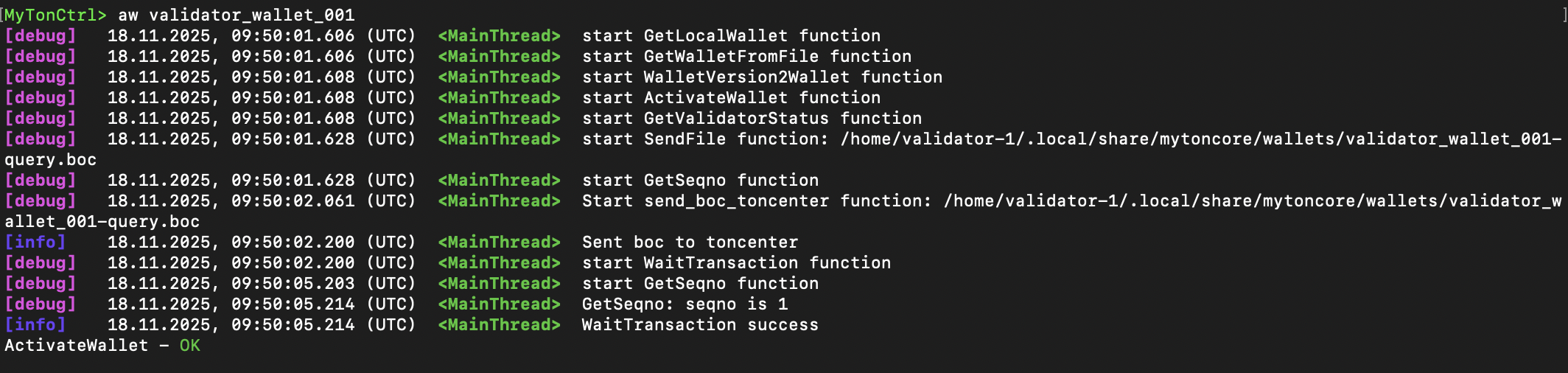 That also reflects in Tonviewer; the status will be displayed as
 Active
3.6 Create a pool
Create a single nominator pool for secure stake management. As theowner-address, specify the beneficiary wallet address that will stake the owner’s funds and receive rewards.
Funds at riskUse a cold wallet (e.g., Ledger) for the
owner-address and store its seed phrase securely to keep funds safe. If access to the owner’s wallet is lost, access to stake and rewards funds cannot be recovered.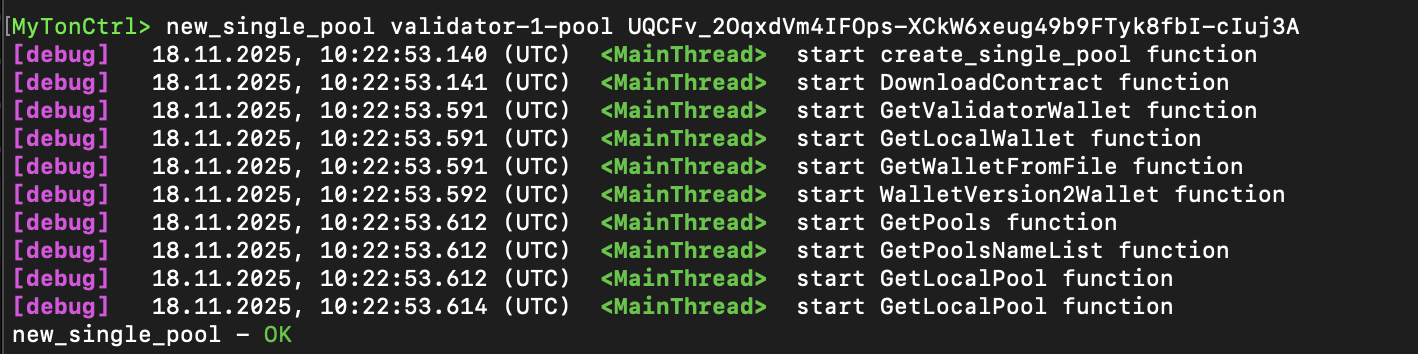
If a single nominator pool already exists...
If a single nominator pool already exists...
If a single-nominator pool is already created, import it with:
3.7 Print pool list
Explore pool addresses usingpools_list command:
 At the moment, the pool hasn’t been deployed yet, and Explorer will display this as
 Nonexist status

3.8 Activate pool
Activate the single pool nominator contract: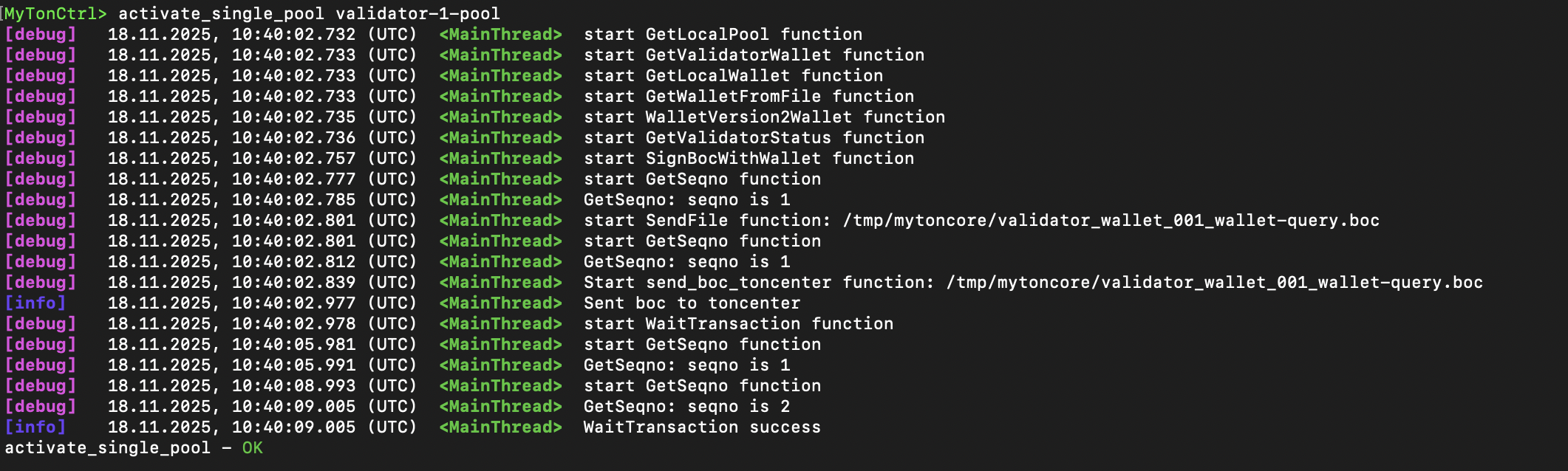
3.9 Verify activated pool
Make sure the pool becomes activated withpools_list:
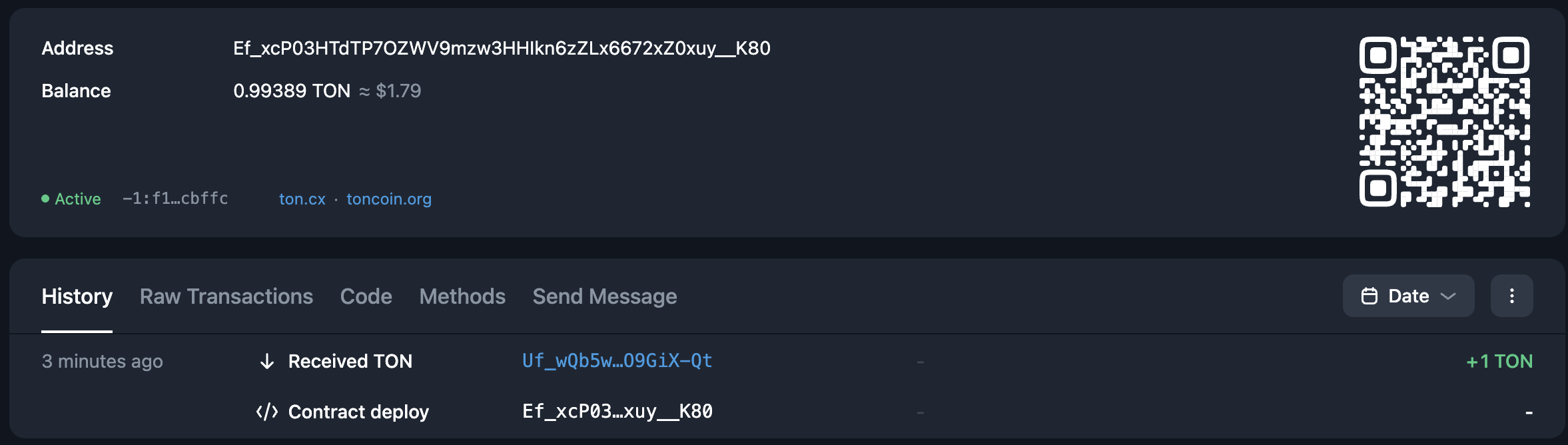
 Blockchain explorer should also display the now-deployed contract with
 Active status.
3.10 Test deposit to pool
Funds at riskEnsure precise handling of operations, carefully verifying the addresses for
single_nominator_pool, owner_address, and validator_wallet. Any incorrect deposit processing may result in the permanent and unrecoverable loss of funds.

3.11 Test withdrawal from pool
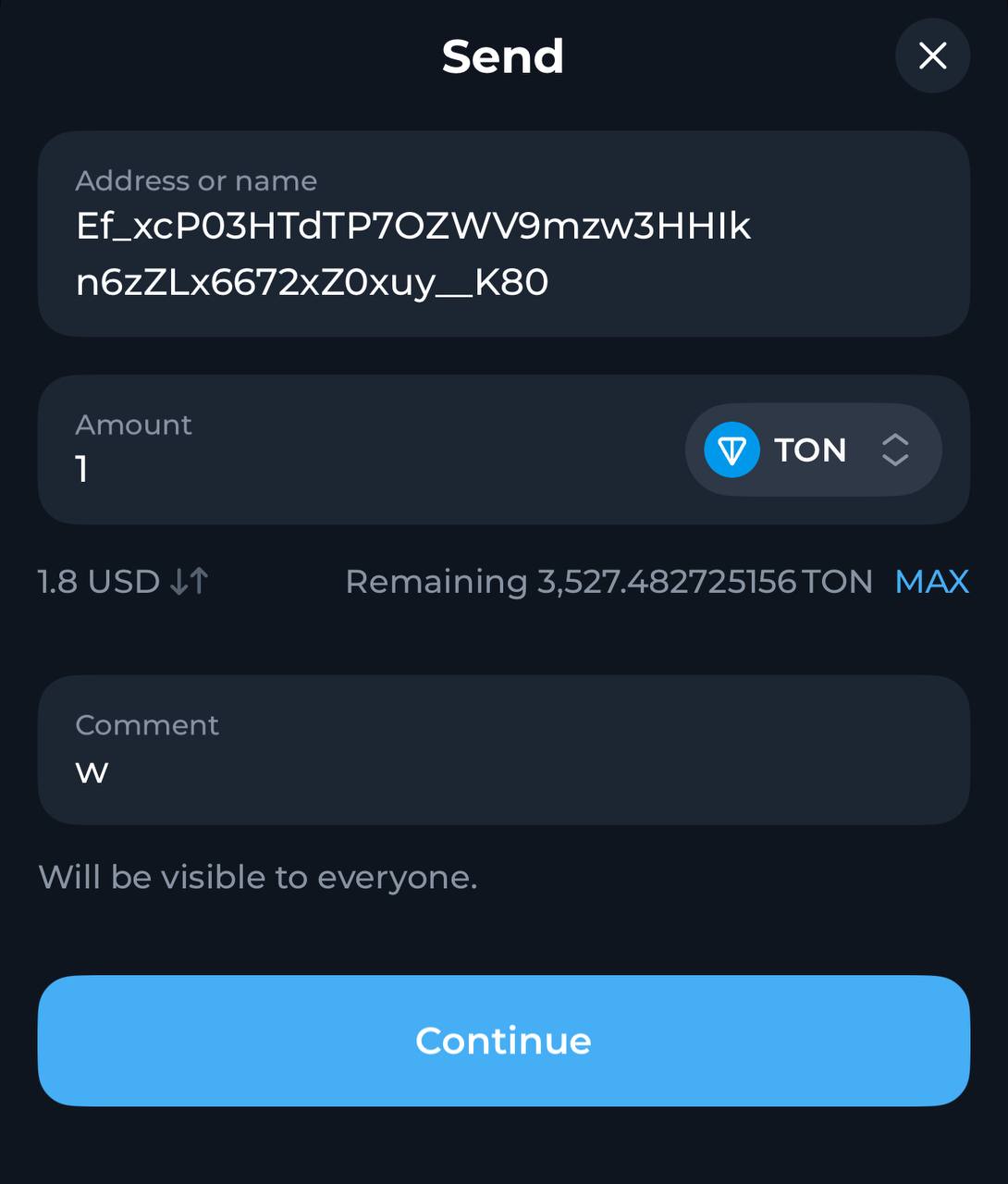
Test withdrawal workflow. Only the owner’s cold wallet can request a withdrawal. Send a withdrawal request, a message withw comment from owner wallet to the single nominator pool address:
Withdraw with script...
Withdraw with script...
Insert the single nominator pool address to
SINGLE_NOMINATOR_ADDRESS and send this message from the owner’s wallet.Not runnable

Step 4: Set optimal stake for validator
Top up the single nominator pool with the effective validation stake. In the next elections, MyTonCtrl will automatically use this pool for staking.If the pool’s balance is sufficient to participate in both rounds
balance > min_stake_amount * 2, MyTonCtrl will automatically participate in both rounds using stake = balance / 2, unless the stake manually set using the set stake command. This behavior differs from using a nominator pool but resembles staking with a validator wallet.4.1 Retrieve stakes for last two cycles
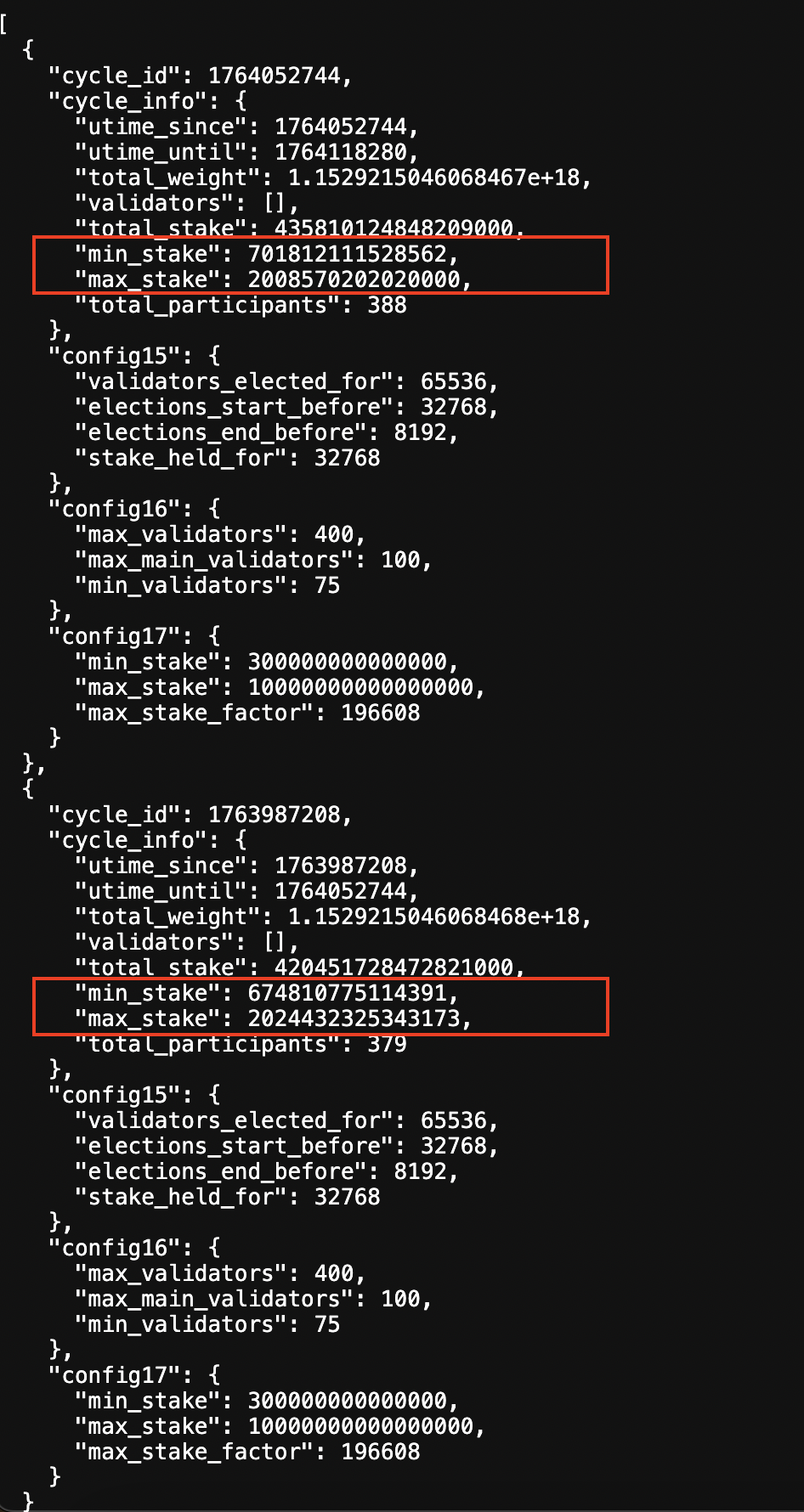
Retrievemin_stake and max_stake from Validation API for two last cycles.
See expected result...
See expected result...
Not runnable
Not runnable
Values retrieved in nanotons, divide this by to get TON units.
4.2 Retrieve stakes boundary values
To cover the approximate expected stake for odd and even cycles, choose the maximum between the twomin_stake and the maximum between the two max_stake.
For example:
not
not runnable
4.3 Calculate effective stakes
Effective stands for winning elections for both odd and even cycles.
not runnable
4.4 Deposit effective stake
Funds at riskEnsure precise handling of operations, carefully verifying the addresses for
single_nominator_pool, owner_address, and validator_wallet.
Any incorrect deposit processing may result in the permanent and unrecoverable loss of funds.4.5 Track first cycle progress
In the next election cycle (odd/even), MyTonCtrl will send half of the stake from the single nominator pool. Track this with a blockchain explorer.4.6 Track second cycle progress
In the next paired election cycle (even/odd), MyTonCtrl will send the second half of the stake from the single nominator pool. Track this with a blockchain explorer.4.7 Verify entire staking cycle
The reward for the odd validation cycle will be returned to the single nominator pool, combined with the stake. Verify this with a blockchain explorer. A few minutes after the reward is accepted, MyTonCtrl initiates a re-stake of this stake, including the reward.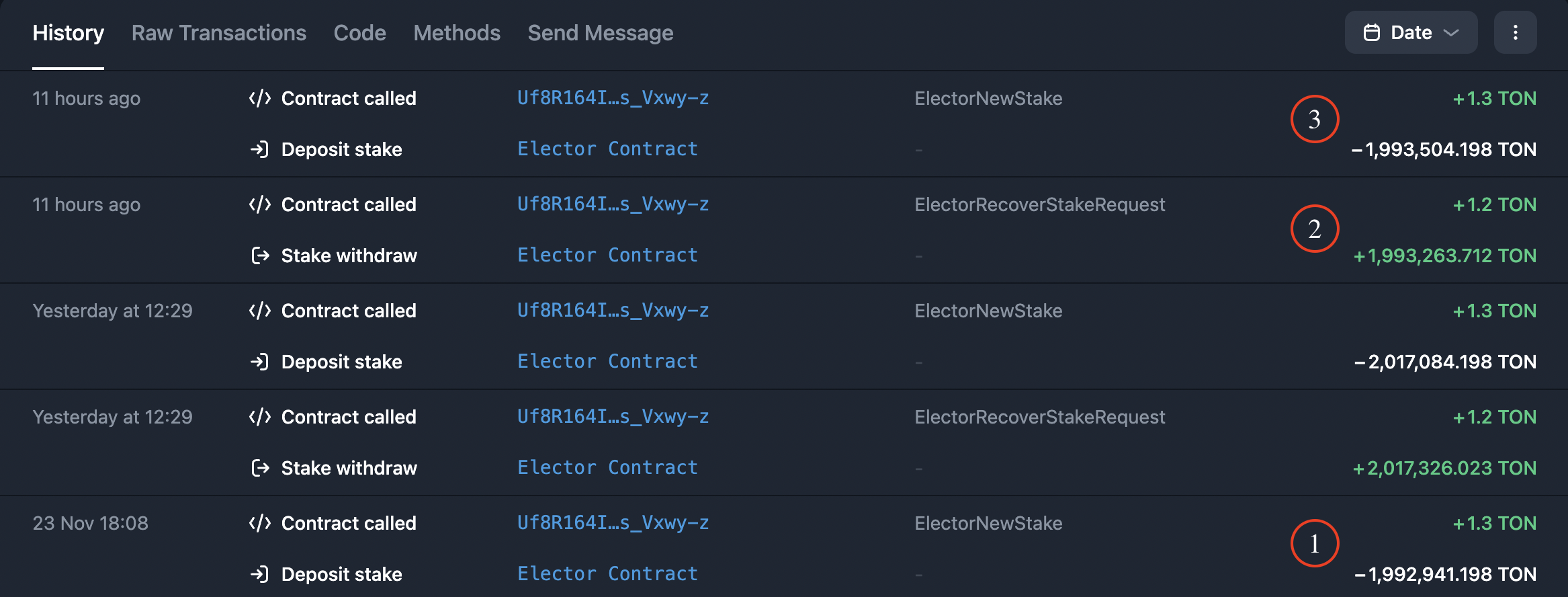 Legend
- Stake for odd cycle.
- Reward for odd cycle.
- Reinvestment of the odd cycle stake, including the reward in the next odd cycle.
4.7 Switch to daily maintenance
Make sure pair stakes are appropriately circulated, then focus on monitoring validator health and updates.Step 5: Maintain validator
5.1 Follow the TON announcements channel
Follow the @tonstatus channel, turn on notifications, and be prepared for urgent updates if needed.5.2 Organize validator backup
Create a validator backup.5.3 Set up alerting
Set up alerting in MyTonCtrl to get a notification of critical issues with the validator. For more information, see MyTonCtrl private alerting bot or check MyTonCtrl public alerting bot.5.4 Set up monitoring
Set up monitoring dashboards for RAM, disk, network, CPU usage, and other metrics. See also MyTonCtrl prometheus export. For technical assistance, please contact @mytonctrl_help_bot.5.5 Monitor the efficiency
Set up dashboards to monitor validators using the APIs provided below.- Track penalized validators on each round with @tonstatus_notifications.
- Use Validation API to obtain information about current and past validation rounds (cycles) - including the timing of rounds, which validators participated, their stakes, and more. Information regarding current and past elections for each validation round is also available.
- Use this API to obtain information about the efficiency of validators over time.
This API analyzes data from the catchain to provide an estimate of a validator’s efficiency. It serves as an alternative to the
checkloadall utility.
Unlike checkloadall, limited to validation rounds, this API supports any time interval for efficiency analysis.- Check ADNL address of the validator:
- To the API, provide the ADNL address of the validator along with a time interval (
from_ts,to_ts). For accurate results, choose a sufficient interval, such as 18 hours ago to the present moment. - Retrieve the result. If the efficiency percentage is below 90%, the validator is malfunctioning.
- The validator must actively participate in validation and use the same ADNL address throughout the specified time period. For example, if a validator contributes to validation every second round, indicate the intervals during which they participated. Failing to do so may result in an inaccurate underestimate. This requirement applies not only to masterchain validators (with an index < 100) but also to other validators (with an index > 100).